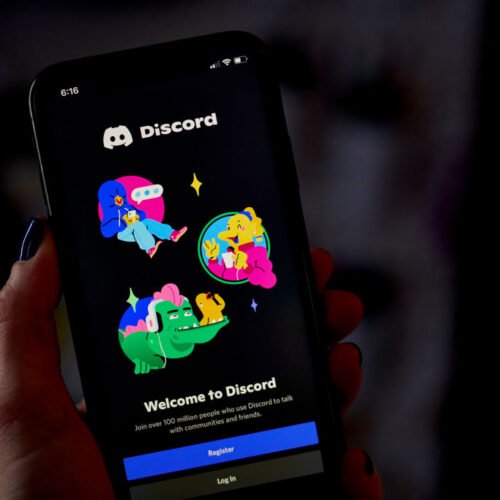
Discord has announced tools aimed at expanding the number and types of companies that advertise on the platform.
This week, the social media firm announced Discord Ads Manager, an ad campaign management platform that lets companies manage ads shown on Discord in one place. The tool can be used to perform forecasting, build “a campaign with objective-based bidding,” and monitor an ad campaign’s performance, according to the announcement.
“Self-service access extends Discord advertising to smaller studios and marketers that previously needed a direct sales relationship to run campaigns, opening the platform to advertisers, regardless of their budget,” Discord said.
The ads manager is currently available to select advertisers, but self-service access won’t come until “early 2027,” Discord said.
The company is also expanding Video Quests, video ads Discord users can watch to get in-game rewards. Discord has been showing these ads to browsers in a beta format, with limited testing on Discord’s mobile apps. The company announced that the ad format is now called Video Quests Reserve and will serve as “a premium, reservation-based offering designed for high-impact brand moments.” The ads will give “advertisers a scalable, always-on way to drive outcomes, such as impressions and clicks.” Discord will offer advertisers additional objectives to track “soon.”
The updated video ads and Discord Ads Manager will lead to “expanded [user] targeting,” Discord said.
Discord’s ad ventures
Discord debuted in 2015 and didn’t have ads until 2024, when it launched Quests. The social media company’s ad ventures relate to its confidential IPO filing in January, according to a Bloomberg report at the time that cited anonymous “people familiar with the matter.” The advertising push is seen as a way to drive Discord’s value beyond premium subscription offerings and game sales.
Mozilla’s Ajit Varma explains why a redesign suits the fight for the open web.
Can a more modern look help gain market share? It can’t hurt, but it’s not the whole solution. Credit: Mozilla
Today, the Firefox 157 update will roll out a redesign of the web browser across desktop and mobile platforms. The team that made it hopes it will help expand the browser’s audience beyond privacy-conscious techies and open-web or open source advocates to a broader audience who might simply pick the browser because they prefer its user experience over competitors like Chrome, Edge, and Safari.
In advance of the redesign’s launch, I spent half an hour chatting with Mozilla’s head of Firefox, Ajit Varma, about Firefox’s current market position and product strategy, and what barriers or opportunities there are for gaining ground in a Chromium-dominated landscape.
Firefox’s interface has recently felt more conservative than niche browsers. And when I asked Paddy Harrington, a senior analyst at Forrester who covers this space, what Firefox’s main barrier to adoption is, he was frank.
“The biggest is they’re not Chrome,” he replied. “That sounds simplistic, but it’s the clear truth. Safari and Edge are built into the leading operating systems in business and consumer markets, yet people still download and deploy Chrome.”
That said, for many of the people who have chosen to use Firefox, “it’s not Chrome” is much of the appeal. Google-led Chromium dominates the web. It doesn’t just power Google’s own Chrome browser (which has majority market share by a wide margin), it powers most of the rest of the competition, too, including Microsoft Edge.
Firefox, which is built on the open source Gecko, serves as a Chromium-free alternative and has become one of the go-to choices for users who don’t want to contribute to one company’s dominance of the open web—though there is even tension there, and a deal to offer Google search as Firefox’s default provides Mozilla with the majority of its revenue. For now, Firefox seeks independence for the web while remaining financially dependent on its dominant competitor.
But to expand beyond the relatively small market share it now has, Firefox has to inspire users to actively select it over incumbents by providing a better browsing experience; most people don’t care whether Chromium dominates, and most have never heard of Gecko.
In our conversation, Varma expressed hope and ambition that these modernizations will help more users choose Firefox for its merits as a product. We also discussed the Firefox team’s competing priorities, its development resources, AI features and tooling, the general browser market, and more.
A conversation with Ajit Varma
This interview has been edited for length and clarity.
Ars Technica: It’s nice to see a bit of modernization of the design of Firefox. But what problems does this redesign solve? How does it advance browser choice and the open web beyond just being a browser that’s a little more appealing and a little easier to use?
Ajit Varma: Yeah, I think there’s been a lot of questions around, “What are we doing this at the cost of?” Like should we be focused on performance? Should we be focused on compatibility?
We are trying to do all of the above and work faster, and I think that’s one of the challenges that Firefox had in the past, was there was slow decision-making. There was a lot of debate, and in the last like year and a half, we’ve actually been trying to say, can we get a lot more velocity, and compete? And part of this is made possible by AI tools, to be honest with you. We are able to do a lot more.
People want to feel like they’re in a modern browser—things that match the design language of the operating system. So that’s part of it. We are bringing back compact mode as well… and we also have launched more customization options.
There’s a lot of functionality that’s been built to give all the modern productivity things that people wanted, and those are all very utilitarian, but it’s also the emotional connection, and do people feel like it’s a browser that feels modern as well.
Ars: Sure, I’m happy to see it. But right now, I would guess most users pick Firefox as almost a values statement, right? That’s not always the same thing as thinking it’s the most effective or enjoyable browser to use. And not everyone even cares about that values question, right? So are you trying to win users over by providing superior features and a better experience to become everyone’s browser? Or are you just trying to build the best browser for a particular audience with a certain set of values?
Varma: We are focused on building the best browser for a wide group of people. I agree with you that there is a subset of people who really understand the importance of competition and choice in a browser engine. When people look at a lot of competitive browsers, they are built on top of Chromium, and there’s a lot of risks to that. For me personally, that is the reason that I work at Firefox and work on Gecko; it’s because I don’t want this consolidation to exist that destroys all the things that we love about an open Internet.
When we talk to a lot of users that are the broad set, people don’t understand, like, what is Chromium versus Blink versus Chrome, what is Gecko versus Firefox. A lot of people actually don’t even really know what the difference is between a search engine and a browser, and it’s all conflated.
So the reality is that even though I think a lot of our values are what drive us internally—this preservation of the open Internet—it’s hard for people to connect all those dots. Many of us people are like, well, does the browser feel enjoyable to use? And when I download it for the first time, does it feel special? Does it feel unique?
And that’s where we do have an opportunity to also differentiate against Chromium browsers. When you look at a lot of those projects, they feel all very similar because it is much easier to fork and make superficial changes than make deeper changes. But we get an advantage by owning the entire stack. We can actually make bolder changes.
I do think that we need to cater to more than just very educated and informed people, going for a mass audience that doesn’t care about Gecko versus Chromium.
Ars: With that mass audience, you need it to even occur to them to change. How much of Firefox’s minority position right now is platform obstruction, how much is inertia, how much is Firefox’s own product execution, and how much of it is people picking their desktop browser to match what they’re using on mobile, where you’re not as competitive?
Varma: We do see that when people have a moment to decide what they use, Firefox does really well. That kind of goes into your point around, like, consideration is actually the biggest barrier. A lot of people just don’t really consider what browser they use as an important decision. The reason we know this is because in Europe, you have choice screens on mobile. This is part of the Digital Markets Act. There’s a split second when you get a new device: here’s the list of browsers, what do you want to use? We see a lot of growth in Firefox since these choice screens were implemented because I think people know Firefox, they understand privacy values, and then that resonates with them.
The biggest indicator, though, of what browser someone uses is actually, what browser did they use last month? People just use what they were using before; they’re not taking this moment to consider. But the last year we’ve actually seen a lot of moments that cause people to start to consider what browser they use.
So some examples—Chrome went through with their deprecation of Manifest V2. Manifest V2 is basically a much more powerful extension system. And people were like, well, why did this decrease? Why didn’t they just fix the security vulnerabilities in Manifest V2? And it’s very clearly because of ad blockers. That was the reason to deprecate it. Whereas, Mozilla, we’re not maximizing for profits, we’re maximizing for user experience and browser experience, and we want people to have powerful extensions. So we noticed when that shutoff moment happened, there was a moment where people said, do you want the power of an engine to be able to dictate how I control my experience? Because once Chromium shut it off, Edge shut it off, all the Chromium browsers then shut off Manifest V2 support. We still support it, and so we saw a big surge of actual users who started using us.
Also, with AI controls, you see a lot of worries that people have with AI, and whether societal implications or my own personal experience, of whether I want to use it or not. And many browsers are pushing AI very heavily, because if you look at major browsers and they have their hierarchy of needs, they actually probably care more about AI adoption than they do about browser experience. And so there was a criticism around Edge becoming a Copilot app—Gemini is very forceful in its integration in Chrome—but neither Copilot nor Gemini are the main AI that people use. People use ChatGPT, people use Claude. And so our approach is all about choice.
So we built AI controls. It’s a prominent, top-level setting. People can turn it off if they don’t want it. People can set only certain features that they want, like translations. And so we’ve noticed a lot of people actually want that from Firefox. And so this is another consideration moment where someone is like, my browser is getting bloated, I want a choice. A lot of our strategy over the next year is really around, how do we create more and more consideration moments where people take that second to think of what browser they should use? So we think something like customization is more of a consideration.
Ars: You mentioned that the best predictor of what browser someone’s going to use is what browser they were using last year. The browsers that people use are not just the ones they’re using on their personal devices. How important are schools, employers, and IT administrators to Firefox’s growth strategy? Does a consumer-focused redesign like this address what those decision-makers need?
Varma: One of the biggest new investments that we’re making is actually building the tools that enterprises and schools need. So if you look at especially over the last year, I don’t think we’ve made as many public announcements, but we have a fairly sizable team that’s actually going after this area. Enterprises care a lot about other features like digital loss prevention, like manageability, the ability to have more controls. This is a big area.
The other thing that we’re seeing around this is there are more and more companies that care a lot about digital sovereignty, and they want tools that they have more confidence aren’t going to be under the control of any particular government that may have been viewed as antagonistic or more challenging to work with. In a lot of places in Europe, a lot of places in Asia, we’re actually seeing a lot of people reach out to us about, how do they use Firefox because of our open source nature.
We’re a global company. And we don’t have some of the same ability to control us because we don’t have all these other tentacles spread out. We can really just focus on building the best browser. The needs of enterprises and schools are very different, but it’s actually probably the biggest new area of investment that we’ve had over the last 12 months.
Ars: You mentioned the idea of sovereignty for these enterprises, and another consideration under that umbrella is AI model choice. I know that’s a big emphasis with what you’re doing with the AI features in Firefox, so I do want to talk about AI for a minute. What signals suggest to you that AI features are in high demand, especially among the arguably privacy-conscious, maybe even a little bit old-school users that Firefox is known for? Is there a tension in investing so much in AI when one of Firefox’s key differentiators is the ability to block or decline it?
Varma: The usage of AI is still a minority compared to the overall browser usage. Like, you have billions of people who are using a browser every day; there’s definitely not anywhere close to that using AI tools in a browser every day. In the future, though, you have different paths, and I think that there is a plausible path where for a lot of the productivity kind of use cases, people want the benefits of AI, and you’re starting to see that emerge—things like translations are AI, summarization, auto-grouping of your tabs in a more organized way.
The stance that we’re taking is we just want to make it easy for people to be in the state that they want to be in, but we’re not doing it in a way that is typical of VC-backed companies that are like, we’re gonna spend hundreds of millions of dollars and see what happens. We are much more thoughtful about it. We are looking at things like on-device models that are cheaper to run. We are looking at open source models. There’s this balance that we are definitely looking at in terms of investment.
But the thing I’d say is, we want people to have choice. For someone who is an AI skeptic who wants to turn all AI off, that’s fine, we’re not going to push you to use AI. Once you turn AI controls off we’re never going to prompt you to use any AI tools. If you are an AI dabbler and you want really private models, we’re gonna give you that choice. But then if you’re someone who really wants to have AI on autopilot and check a price for you, or check if a new product is launching every day, and your browser goes and searches, well, that’s a convenience aspect that we think that a subset of people want for sure, that we want to provide that functionality to.
But one of the things that we do hear from people is people love auto-complete and suggest and stuff, and so we spent a lot of time on the non-AI version of that, which is, here’s an address, fill an address. But it goes to, well, what if you want your job application filled out? Those things are made better with on-device ML and AI that I don’t think people are equating to the AGI world, or you know, reinforced learning of bots that might take over the world and kill humans. This is like, we’re helping you fill in a form. That technically is still AI.
Ars: I agree with you that some of those things are useful and a lot of people don’t even think about them as being AI. On the other hand, you have something like Smart Windows, which is AI-in-the-face, right? There is a lot of investment going into AI features that maybe could have gone to other things, like making the mobile app better. How do you manage the tension where you have a significant portion of your audience who just don’t care about this, but then, you look at your product roadmap and there’s a lot of AI stuff in there and there’s people working on that AI stuff?
Varma: I think that there’s probably speculation, because I don’t know that we disclose how much our allocation to each area is. But I think that we need to make bets. But the number of engineers that we have working on this versus all the other stuff is less than 10 percent of the overall engineering. The core and the biggest investment that we have is on Gecko.
That’s things like performance, web compatibility, new APIs for developers, and I think some of those things are just harder for people to notice… but historically, I do think that one of the mistakes that Mozilla made 15 years ago was, it didn’t invest in mobile apps early enough. The bread and butter was desktop, and it was, let’s focus on desktop, desktop, desktop. And then mobile turned into a big opportunity that I think in retrospect was something that could have been invested in more.
Now, Mozilla did try something—the Firefox OS to build HTML apps. It tried this very ambitious, can you create a competitor to Android and iOS? I think in this approach, we’re not doing that.
So you could imagine that one world is: we’re going to build our own AI models, we’re going to build our own agents. And that’s where I think a lot of the expensive investment is, but we’re not doing any of that. We’re using open source models. We’re not building AI, but we’re applying AI to building tools that we think would benefit people. We’re not an AI company, we’re not pushing AI, but there are real benefits that AI can have to certain productivity use cases.
And then the other side of it is a conversation that we have: What do people use browsers for in the future? We do think that there are gonna be entertainment use cases plus productivity use cases. AI will help with the productivity use cases, but the browser core is still gonna really be needed for the entertainment cases. Ninety percent of our attention is still very focused on those core fundamentals.
Ars: What is the actual path to Gecko on iPhone? Apple now provides routes for alternative engines in the EU and Japan. Which remaining obstacles are Apple’s requirements, and which ones are engineering cost restrictions?
Varma: The biggest challenge for us is, we’re not a big tech company, so for us, forking to build two different versions of iOS, one for markets where this is possible and then for markets where it’s not possible, would mean we would basically have to double the size of our iOS team. And so what we’ve been pushing on Apple and regulators is, can we have a single set of global rules that allows us to build Gecko across the world?
I think it’s great, what’s happened in certain markets, but the reality is, it’s very challenging for us to actually invest to create this global, forked system. There are also just limitations like, well, how do you appear in the App Store? You can only have a single app. There are challenges of how you do migration and stuff that are also there. But I think the primary challenge is still that the cost goes up pretty significantly to have to build two totally different builds on iOS.
Ars: Speaking of cost and revenue, Firefox is dependent on its search deal with Google. There’s the concern that if that ends, Firefox may be in a tougher spot. But also, longer term, do you worry about your dependence on Google search revenue in a time of rapid change with LLMs that could bring into question Google’s long-term search dominance?
Varma: This is definitely a big question. I don’t think anyone really knows what’s gonna happen in the long term, but in the short term I’d say that I think competition is great—it’s why I work on Firefox. It would be great for there to be legitimate competitors to Google, which I think is the right outcome for consumers. I think it’s the best outcome for Firefox.
But in the short term, Google is doing really well, and so when we look at it as the power of AI and LLMs, it doesn’t mean yet that people are moving from Google searches over to LLMs. It actually is growing the overall pie. Search queries and monetizable queries are actually going up. Google’s also integrating AI Mode pretty deeply into search results. And again, this goes into techies versus the average person out there. For the average person, the muscle memory of going to Google is still very strong.
I don’t know how that’ll play out over the next several years. AI is going to have these kinds of questions, but also it’s helping us accomplish a lot more and become a lot more efficient than I think we ever thought was possible, and so for us being a smaller company, the bottleneck is not code creation anymore. We can create tons of code. It’s actually code review.
My hope is that we can actually compete with organizations much bigger than us, which has always been a constraint. These tools are very expensive, but my hope is they get commoditized so our cost structure doesn’t go up.
So I don’t know how it’ll play out, but I would also say that’s why I would encourage everyone to use Firefox. The more people use Firefox, the more power I think we have to negotiate, the more power that we have to create balance and competition and protect the web. So that goes back into something you started off with: the values-based reasons to use Firefox and Gecko. I think it’s pretty important.
Takeaways
A Mozilla-provided image of the new styling in the Firefox redesign.
Credit: Mozilla
A Mozilla-provided image of the new styling in the Firefox redesign. Credit: Mozilla
Firefox’s new redesign is—at least to me—a welcome one. It no longer looks like a browser from 2015. That was probably never what mattered most to someone who uses the browser in part as a mission statement about the value of the open web. It does, however, make the browser more palatable in a culture and market that is currently seething with frustration at Big Tech’s dominance, and in one that (at least in some regions) is taking regulatory measures to ensure users have choices when faced with the usual defaults.
As Varma tells it, AI-assisted coding workflows have enabled Mozilla to accelerate development. That’s a clear boon, provided the Firefox team (and most other software development teams in the world, for that matter) can work out its post-AI-overhaul code review challenges. That said, when I spoke to Forrester analyst Paddy Harrington, he argued that isn’t necessarily a de facto advantage for the software world’s Davids against its Goliaths. Goliath can use coding agents, too. “If large companies like Apple, Google, and Microsoft aren’t using AI within their dev processes, then I’ll eat my hat, as the old saying goes,” he said. “The question is what are they using it for? How are they using it differently than any other company who is using AI tools in their dev process?”
Given Varma’s statement that tools for enterprise deployments have been Firefox’s most significant new investment area over the past year, I also asked Harrington for his perspective on Firefox’s opportunity in the enterprise space. “I’d certainly love to see them come back with new things that expands them in the enterprise, but it’s not going to be easy, and they would have to truly wow IT decision makers,” he said. Insomuch as there is a clear opening, it’s with businesses in Europe, where “we’re seeing interesting moves in those countries where they’re looking to move away from some of the platform giants like Microsoft or Google,” according to Harrington.
Whatever the scope of the enterprise opportunity, Varma is right that the more people use Firefox, the more leverage it has and the more true independence becomes plausible. This new redesign aims to make the browser more appealing in the mass market, and that’s a welcome start, but it’s not the finish line, and there’s a long way to go against competitors with more resources, albeit also with muddier incentives.
Maybe engine independence creates freedom to differentiate, as Varma said, and maybe AI coding tools do give smaller teams more power to stand up to well-resourced incumbents. But even so, Mozilla will have to continue to turn that freedom and capability into improvements that give people a reason to switch.
Samuel Axon is the editorial lead for tech and gaming coverage at Ars Technica. He covers physical and generative AI, large language models, software development, gaming, entertainment, and mixed reality. He has been writing about gaming and technology for nearly two decades at Engadget, PC World, Mashable, Vice, Polygon, Wired, and others. He previously ran a marketing and PR agency in the gaming industry, led editorial for the TV network CBS, and worked on social media marketing strategy for Samsung Mobile at the creative agency SPCSHP. He also is an independent software and game developer for iOS, Windows, and other platforms, and he is a graduate of DePaul University, where he studied interactive media and software development.
Early holiday sales are only a few days away. Next week, retailers including Amazon and Walmart will lower prices on many giftable items, like tech, toys and kitchen gadgets. But holiday shopping could look much different for US adults.
CNET’s annual holiday shopping survey shows that nearly one-third (32%) of US adults plan to start holiday shopping for deals before November and 27% plan to shop during sales. However, US adults will be juggling a smaller tech budget of $808. That’s $123 less than CNET’s survey findings last year.
Finding savings on must-have devices is paramount this year if you want to squeeze more out of your budget, but how can you spot a good deal during October’s holiday sales? CNET’s director of commerce content, Russell Holly, weighed in on the data and shared expert advice to help you make a shopping plan and stay within your price range.
Key findings
Nearly one-third (32%) of US adults plan to start holiday shopping before November, and 27% plan to shop during sales.
US adults plan to spend less on holiday shopping compared to last year. This year, holiday tech shoppers plan to spend an average of $808 on consumer tech products and services – that’s $123 less than last year’s holiday shopping average.
Most shoppers (84%) expect purchasing frustrations such as misleading discounts (43%), instant product sellouts (39%) and inflated baseline prices (35%).
CNET found that close to one-third (32%) will start holiday shopping before November and aren’t waiting for the usual Black Friday and Cyber Monday sales. Many have already started or plan to start this month. Twenty-seven percent of US adults plan to shop in November. And as the holidays inch closer, 11% say they will shop in December.
Cole Kan/CNET
Over a quarter of US adults (27%) plan to take advantage of savings events, like Amazon’s and Walmart’s early holiday sales, while 18% of those shopping between October and November don’t plan to. The big question is whether the sales are worthwhile. Holly says it comes down to when you find a deal that’s worthwhile.
“The best time to buy is the moment you see something you want on an actual discount, because increased prices can come at any time,” Holly said.
Holly says even steep discounts aren’t lowering prices as much as before, but the right deals may make you reconsider.
CNET’s deals team spends hours making sure sales are legitimate — not just a fake price drop. And in the coming weeks, they’ll track deals on devices like laptops, headphones, wearable devices and smart home gadgets, plus alternatives to more costly tech, to help you determine what’s worth buying now or later.
You can also check an item’s price history to see if you’re getting the best deal by using price trackers like CamelCamelCamel and comparing prices across retailers before buying. But as Holly noted, if you want to upgrade your personal devices, don’t wait. Look for the best price you can find and buy it right away. Otherwise, prices may go up while you wait.
US adults plan to spend $123 less than they did on holiday shopping last year
Last year, CNET found that US adults planned to spend an average of $931 on holiday shopping. This year, shoppers are planning to spend less.
On average, they expect to spend $808 on holiday shopping. That’s $123 less than last year. Some generations plan to spend more, such as millennials, who anticipate an average holiday shopping outlay of $1,074. Boomers will spend around half that amount — $582.
Cole Kan/CNET
Higher everyday living costs could explain why holiday budgets are lower.
“Everything else being more expensive means less left over for gifts,” said Holly. “There’s very little indication that component prices are going to come back down anytime soon, so if you’re hoping for the kinds of prices you saw even two years ago, I would say you’re going to be waiting quite a while.”
Balancing holiday gifts and everyday basics on your usual income can be a lot to handle. Now’s the time to set holiday expectations, including a budget and a list of must-haves, along with more affordable options that still meet your needs.
Then keep checking prices and deals from your trusted retailers and be prepared to buy when you spot good savings. Most importantly, try to avoid using credit cards and buy-now, pay-later plans that can lead to debt. The Federal Reserve’s recent rate hike will push borrowing costs higher, making debt more expensive through higher credit card and loan interest rates.
Nearly 3 in 4 plan to buy tech this holiday season
CNET found that 73% of shoppers plan to buy tech products or services this season, but what most US adults plan to buy and how much they plan to spend may surprise you.
Thirty percent of shoppers plan to purchase toys, and 25% plan to buy kitchen items, such as air fryers and cookware. But shoppers don’t plan to buy as many personal electronics and home entertainment products. Only 20% plan to buy headphones or earbuds, and even fewer plan to buy video games for consoles (18%) or laptops and TVs (11%). More shocking is that only 13% plan to buy phones. We’ve seen prices increase across popular tech devices and brands due to the RAM shortage, which has led to low supply and high demand for memory chips.
Cole Kan/CNET
Some of the latest releases cost way more than the average $808 most US adults plan to spend. For instance, the $2,000 iPhone Duo by itself costs even more than the average $1,704 that millennials plan to spend on tech this holiday season. And less costly phones are still beyond holiday budgets, like the $1,200 iPhone 18 Pro Max, and even the iPhone 18 Pro is $1,200. Trade-in offers and sales can help lower that cost if you’re planning to upgrade, but shop around and compare deals before buying.
Increased prices may make you reconsider whether to stick with your current model or upgrade, but remember, you have options.
“If the current laptop works well enough, upgrading can either be viewed as a luxury purchase for later or shifted to buying used or refurbished models to save extra,” Holly said.
You may also consider a slightly older model of the device you’re looking for. It could still have all of the features you need, but cost less. Another money-saving option is to consider refurbished tech that’s in excellent or good condition from a certified refurbished retailer. You may still notice some price increases due to demand, but it could still cost less than the newest models.
US adults are bracing for higher prices and fake deals
Most US shoppers (84%) expect the holiday shopping season to come with a few hurdles this year. Forty-three percent are concerned about deceptive pricing practices, such as retailers raising original prices before discounting them for a sale. Others are concerned about deals selling out immediately because of low stock or automated buying bots (39%).
Take Nintendo’s Zelda Switch 2 to commemorate the Legend of Zelda’s 40th anniversary. It costs $520, and preorders are sold out. But earlier this year, Nintendo announced a price increase for the regular Switch 2, which would start at $500, up $50 since its launch. So Zelda and Nintendo fans are juggling limited availability and higher prices for one item.
There’s not much you can do about preorders selling out or limited stock of an item, but it’s best to have a backup plan. Consider other retailers or device options that you’ll still be satisfied with — like a Nintendo Switch 2 and the digital download of The Legend of Zelda: Ocarina of Time when it’s released.
But if you’re more worried about fake deals or sales being a money grab by retailers, Holly said that historically, there have been some great sales ahead of the holidays. It’s still best to do your research before buying to make sure you’re getting a deal by comparing retailer prices before and after announced sales and using price tracking tools, like CamelCamelCamel. Heads up that many retailers, like Amazon, have flash sales with specific times of deeper discounts, and you’ll need to act fast, so it’s best to plan your holiday shopping now.
“The best thing anyone can do ahead of a shopping event is prepare,” said Holly. “Find your favorite price tracker tool before the event starts, have a general idea of what you’re looking to buy and be sure to keep an eye out for bigger discounts when you bundle things together.”
Methodology
CNET commissioned YouGov Plc to conduct the survey. All figures, unless otherwise stated, are from YouGov Plc. The total sample size was 2,615 adults, of whom 1,552 were interested in purchasing consumer tech products or services this winter holiday season. Fieldwork was undertaken Sept. 3-6, 2026. The survey was carried out online. The figures have been weighted and are representative of all US adults (aged 18 and older).
Dashia Milden
Senior Consumer Insights Editor
Dashia is the consumer insights editor for CNET. She specializes in data-driven analysis and news at the intersection of tech, personal finance and consumer sentiment. Dashia investigates economic shifts and everyday challenges to help readers make well-informed decisions, and she covers a range of topics, including technology, security, energy and money. Dashia graduated from the University of South Carolina with a bachelor’s degree in journalism. She loves baking, teaching spinning and spending time with her family. See full bio
Early holiday sales are only a few days away. Next week, retailers including Amazon and Walmart will lower prices on many giftable items, like tech, toys and kitchen gadgets. But holiday shopping could look much different for US adults.
CNET’s annual holiday shopping survey shows that nearly one-third (32%) of US adults plan to start holiday shopping for deals before November and 27% plan to shop during sales. However, US adults will be juggling a smaller tech budget of $808. That’s $123 less than CNET’s survey findings last year.
Finding savings on must-have devices is paramount this year if you want to squeeze more out of your budget, but how can you spot a good deal during October’s holiday sales? CNET’s director of commerce content, Russell Holly, weighed in on the data and shared expert advice to help you make a shopping plan and stay within your price range.
Key findings
Nearly one-third (32%) of US adults plan to start holiday shopping before November, and 27% plan to shop during sales.
US adults plan to spend less on holiday shopping compared to last year. This year, holiday tech shoppers plan to spend an average of $808 on consumer tech products and services – that’s $123 less than last year’s holiday shopping average.
Most shoppers (84%) expect purchasing frustrations such as misleading discounts (43%), instant product sellouts (39%) and inflated baseline prices (35%).
CNET found that close to one-third (32%) will start holiday shopping before November and aren’t waiting for the usual Black Friday and Cyber Monday sales. Many have already started or plan to start this month. Twenty-seven percent of US adults plan to shop in November. And as the holidays inch closer, 11% say they will shop in December.
Cole Kan/CNET
Over a quarter of US adults (27%) plan to take advantage of savings events, like Amazon’s and Walmart’s early holiday sales, while 18% of those shopping between October and November don’t plan to. The big question is whether the sales are worthwhile. Holly says it comes down to when you find a deal that’s worthwhile.
“The best time to buy is the moment you see something you want on an actual discount, because increased prices can come at any time,” Holly said.
Holly says even steep discounts aren’t lowering prices as much as before, but the right deals may make you reconsider.
CNET’s deals team spends hours making sure sales are legitimate — not just a fake price drop. And in the coming weeks, they’ll track deals on devices like laptops, headphones, wearable devices and smart home gadgets, plus alternatives to more costly tech, to help you determine what’s worth buying now or later.
You can also check an item’s price history to see if you’re getting the best deal by using price trackers like CamelCamelCamel and comparing prices across retailers before buying. But as Holly noted, if you want to upgrade your personal devices, don’t wait. Look for the best price you can find and buy it right away. Otherwise, prices may go up while you wait.
US adults plan to spend $123 less than they did on holiday shopping last year
Last year, CNET found that US adults planned to spend an average of $931 on holiday shopping. This year, shoppers are planning to spend less.
On average, they expect to spend $808 on holiday shopping. That’s $123 less than last year. Some generations plan to spend more, such as millennials, who anticipate an average holiday shopping outlay of $1,074. Boomers will spend around half that amount — $582.
Cole Kan/CNET
Higher everyday living costs could explain why holiday budgets are lower.
“Everything else being more expensive means less left over for gifts,” said Holly. “There’s very little indication that component prices are going to come back down anytime soon, so if you’re hoping for the kinds of prices you saw even two years ago, I would say you’re going to be waiting quite a while.”
Balancing holiday gifts and everyday basics on your usual income can be a lot to handle. Now’s the time to set holiday expectations, including a budget and a list of must-haves, along with more affordable options that still meet your needs.
Then keep checking prices and deals from your trusted retailers and be prepared to buy when you spot good savings. Most importantly, try to avoid using credit cards and buy-now, pay-later plans that can lead to debt. The Federal Reserve’s recent rate hike will push borrowing costs higher, making debt more expensive through higher credit card and loan interest rates.
Nearly 3 in 4 plan to buy tech this holiday season
CNET found that 73% of shoppers plan to buy tech products or services this season, but what most US adults plan to buy and how much they plan to spend may surprise you.
Thirty percent of shoppers plan to purchase toys, and 25% plan to buy kitchen items, such as air fryers and cookware. But shoppers don’t plan to buy as many personal electronics and home entertainment products. Only 20% plan to buy headphones or earbuds, and even fewer plan to buy video games for consoles (18%) or laptops and TVs (11%). More shocking is that only 13% plan to buy phones. We’ve seen prices increase across popular tech devices and brands due to the RAM shortage, which has led to low supply and high demand for memory chips.
Cole Kan/CNET
Some of the latest releases cost way more than the average $808 most US adults plan to spend. For instance, the $2,000 iPhone Duo by itself costs even more than the average $1,704 that millennials plan to spend on tech this holiday season. And less costly phones are still beyond holiday budgets, like the $1,200 iPhone 18 Pro Max, and even the iPhone 18 Pro is $1,200. Trade-in offers and sales can help lower that cost if you’re planning to upgrade, but shop around and compare deals before buying.
Increased prices may make you reconsider whether to stick with your current model or upgrade, but remember, you have options.
“If the current laptop works well enough, upgrading can either be viewed as a luxury purchase for later or shifted to buying used or refurbished models to save extra,” Holly said.
You may also consider a slightly older model of the device you’re looking for. It could still have all of the features you need, but cost less. Another money-saving option is to consider refurbished tech that’s in excellent or good condition from a certified refurbished retailer. You may still notice some price increases due to demand, but it could still cost less than the newest models.
US adults are bracing for higher prices and fake deals
Most US shoppers (84%) expect the holiday shopping season to come with a few hurdles this year. Forty-three percent are concerned about deceptive pricing practices, such as retailers raising original prices before discounting them for a sale. Others are concerned about deals selling out immediately because of low stock or automated buying bots (39%).
Take Nintendo’s Zelda Switch 2 to commemorate the Legend of Zelda’s 40th anniversary. It costs $520, and preorders are sold out. But earlier this year, Nintendo announced a price increase for the regular Switch 2, which would start at $500, up $50 since its launch. So Zelda and Nintendo fans are juggling limited availability and higher prices for one item.
There’s not much you can do about preorders selling out or limited stock of an item, but it’s best to have a backup plan. Consider other retailers or device options that you’ll still be satisfied with — like a Nintendo Switch 2 and the digital download of The Legend of Zelda: Ocarina of Time when it’s released.
But if you’re more worried about fake deals or sales being a money grab by retailers, Holly said that historically, there have been some great sales ahead of the holidays. It’s still best to do your research before buying to make sure you’re getting a deal by comparing retailer prices before and after announced sales and using price tracking tools, like CamelCamelCamel. Heads up that many retailers, like Amazon, have flash sales with specific times of deeper discounts, and you’ll need to act fast, so it’s best to plan your holiday shopping now.
“The best thing anyone can do ahead of a shopping event is prepare,” said Holly. “Find your favorite price tracker tool before the event starts, have a general idea of what you’re looking to buy and be sure to keep an eye out for bigger discounts when you bundle things together.”
Methodology
CNET commissioned YouGov Plc to conduct the survey. All figures, unless otherwise stated, are from YouGov Plc. The total sample size was 2,615 adults, of whom 1,552 were interested in purchasing consumer tech products or services this winter holiday season. Fieldwork was undertaken Sept. 3-6, 2026. The survey was carried out online. The figures have been weighted and are representative of all US adults (aged 18 and older).
Dashia Milden
Senior Consumer Insights Editor
Dashia is the consumer insights editor for CNET. She specializes in data-driven analysis and news at the intersection of tech, personal finance and consumer sentiment. Dashia investigates economic shifts and everyday challenges to help readers make well-informed decisions, and she covers a range of topics, including technology, security, energy and money. Dashia graduated from the University of South Carolina with a bachelor’s degree in journalism. She loves baking, teaching spinning and spending time with her family. See full bio
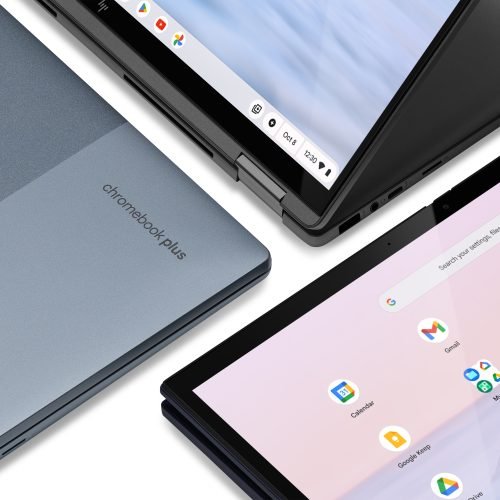
Rather than get into a Windows XP situation in which it had to keep extending update support, the support page says that Google intends to upgrade newer Chromebooks to the Googlebook OS. It doesn’t have specifics on the timeline or which models will be included, but the company does note that, in many cases, this will be a “direct migration.”
Googlebooks are launching at much higher prices than Chromebooks.
Credit: HP
Googlebooks are launching at much higher prices than Chromebooks. Credit: HP
It’s understandable that Google doesn’t want to make this more clear—Chromebooks may not have caught on for consumers, but they’re big in schools and business. Googlebooks won’t have comparable management tools for a year or more, according to the support page. If Google is more open about ditching ChromeOS, its Chromebook business could take a dive before Googlebooks are even theoretically in a position to take over.
In its public statements, Google representatives have only said that Chromebooks will continue to exist. However, this guidance certainly makes it sounds like the platform’s days are numbered. That may present issues for organizations like schools that became accustomed to getting capable, easily managed PCs for dirt cheap. As Google has explained on numerous occasions, Googlebooks are intended to be a premium product.
Maybe Google’s partners will explore budget-friendly Googlebooks eventually, but the initial lineup starts at $899. It’s impossible to spend that kind of money on a Chromebook today.
Since 2024, Microsoft has tried to sell “Copilot+ PC.” The marketing initiative was aimed at making it easy for people to know which Windows systems were approved to run AI-accelerated workloads locally.
But Copilot+ PC branding is nowhere to be found on the new Surface PCs Microsoft announced this week.
Speaking with Windows Central, Brett Ostrum, corporate VP of Surface, said that the new Surface computers “are not called Copilot+ PCs” despite meeting the label’s requirements.
“They do meet all the requirements of our previous bar for what Copilot+ devices are. We still lean into the narrative around AI on the edge and being able to have a hybrid solution out there,” he said.
Copilot+ PCs require 16GB of RAM, 256GB of storage, and an integrated neural processing unit (NPU) with performance rated at 40 trillion operations per second (TOPS) or better.
The Surface Pro 12-inch (2nd Edition) and Surface Laptop 13-inch (2nd Edition), coming out on October 13, both run Qualcomm Snapdragon X2 Plus processors and have a Qualcomm Hexagon NPU rated at 80 TOPS.
“[T]he purpose for Copilot+ PCs was to be able to deliver [NPU] experience,” Kedar Kondap, SVP of compute at Qualcomm, told Windows Central. “So, it was to define a certain category of devices with a certain bar and metric, like, for example, a 45 TOPS NPU. … So from that perspective, it’s more offering the same experiences, probably without just using [Copilot+ PC] terminology now.”
AI PCs are old news
Copilot+ PCs are “a class of AI PCs and laptops” that represent “the fastest, most intelligent Windows PCs ever,” according to a Microsoft marketing page that was up as recently as May, per Internet Archive’s Wayback Machine. That Copilot+ PCs landing page, however, now redirects to a page for “performance PCs” that still names “Copilot+ PCs” but features the label far less prominently.
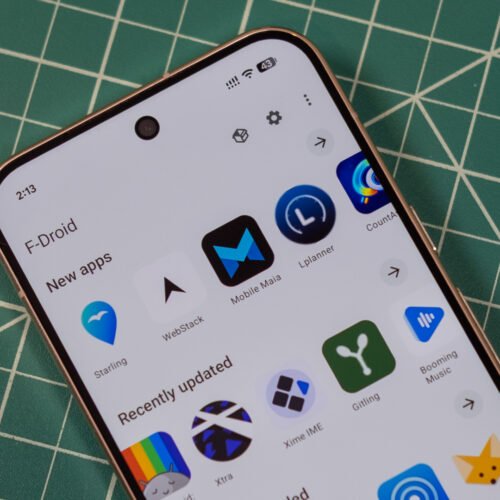
Virtually every Android device comes with the Play Store preloaded, but there are other ways to get apps. F-Droid bills itself as a community-driven source for free and open source Android apps, but its official app store has gone 10 years without a major update. That’s finally changing: After a multiyear effort, the team has just announced F-Droid 2.0 is rolling out.
The new F-Droid client was redesigned from scratch in Kotlin Compose, which is the standard for modern Android apps. This makes the store much more responsive, and there’s optional support for Android’s Material theming. The interface has also been cleaned up considerably, making the most important functions easier to access and hiding some others in overflow menus.
While the new F-Droid looks nicer, the update was largely about making it easier to find and install apps. When F-Droid first appeared, there wasn’t much to see, but now it has thousands of open source apps. Unlike the Play Store, F-Droid doesn’t track your taps and installs to push ads and suggestions—it helps you find things and gets out of the way.
F-Droid now includes a huge number of categories, drilling down to specialized niches like firewalls, password managers, and VPNs. You can see all these groups in the search tab. There are also higher-level categories listed on the main Discover page. When searching for apps, F-Droid will now be able to return results based on app descriptions rather than just names.
When you find an app, F-Droid 2.0 will make the installation process easier. Google has long put up roadblocks for sideloaded apps, citing the security implications. This is also the rationale behind its upcoming developer verification system. For now at least, apps will be easier to install from F-Droid thanks to the use of Google’s pre-approval API. Instead of downloading an APK, opening it, and confirming the scary sideloading pop-up, you’ll just be able to verify that you want to install an app before the download. So you tap “Install” in F-Droid, and then tap “Install” again in a system pop-up. That’s one more click than the Play Store, but it’s still an improvement.
The latest battlefield uses of such robots have helped the Ukrainian military’s Operation Vivald reclaim up to 96 square miles of territory. Operation Vivaldi has also defeated Russian forces that were the northern part of a pincer movement attempting to encircle Ukraine’s “Fortress Belt” cities in eastern Ukraine, according to the Institute for the Study of War (ISW), a think bank based in Washington, DC.
Vivaldi’s success and the fall season
Since launching in May 2026, the Ukrainian Third Army Corps operation has practiced strict operational security that has kept successful advances under wraps for a long time. That has helped mislead Russian leaders, whose operational awareness is also hindered by what the ISW described as a “pervasive culture of lying within the Russian military” about the real battlefield situation when things aren’t going well for Russia.
Operation Vivaldi’s success has also been enabled by Ukraine’s intermediate-range drone strike campaign targeting Russian fuel supplies, which has reduced the availability of diesel fuel for generators powering Russian electronic warfare systems. At the same time, Ukraine’s own electronic warfare systems reportedly neutralized about 20,000 Russian drones.
Together, such factors have helped Ukraine achieve “tactical drone overmatch” while supporting Ukrainian mechanized advances toward Lyman in Ukraine’s Donetsk Oblast, according to the ISW assessment. Members of Russia’s elite drone unit, called Rubicon, were withdrawn from the region after the Ukrainian Third Army Corps inflicted losses on the Russian drone pilots and the unit’s resources, according to The Kyiv Independent.
But the Russian military is still directing armored vehicles and drone units such as Rubicon toward Dobropillya in the Donetsk Oblast in preparation for future mechanized assaults this autumn. During the summer, the Russian military tested a new anti-drone protection system for its most modern tanks that saw limited success—although Ukrainian drones still overwhelmed the tanks’ defenses.
The Russian military has also adapted many of the same drone warfare innovations used by Ukraine while sometimes developing its own as it continues attacking Ukrainian cities with missiles and drones. Russia has also stepped up a campaign of “hybrid warfare” against Europe, with recent examples including an explosive drone boat turning up near a vital offshore gas site and an attempt to attack parked Ukrainian cargo aircraft with a drone at Leipzig Airport in Germany.
When Apple was using Intel processors and AMD GPUs, the idea of an expandable and upgradeable tower made sense. But Apple Silicon chips bring the CPU, GPU, and memory interface all under one roof in a way that makes that sort of upgradeability not just superfluous but impossible. At least not without breaking some of the chips’ key benefits.
And as it happens, Apple Silicon’s combination of a fast CPU, solid GPU, and unified memory architecture has made it a good fit for a modern “pro” workload that really pushes high-end hardware: running language models and agents locally.
That’s really the core audience for the M5 Ultra Mac Studio, Apple’s tippity-top config that is jumping two processor generations in a single refresh (there was no M4 Ultra, if you recall). The highest-end Studios have always felt like a bit of overkill for most people, but now there’s a particular kind of AI-pilled coder or designer who can legitimately benefit from having this kind of system on their desk.
Apple was caught off guard by the demand for these systems from people running software like OpenClaw and running open-weight models locally, which, along with the AI-fueled memory shortage, is why it has been nearly impossible to buy most of these systems for months. That’s the context that the new Mac Studio is launching into.
Same design, new hardware
Same design language as the Mac mini, but less mini. Andrew Cunningham
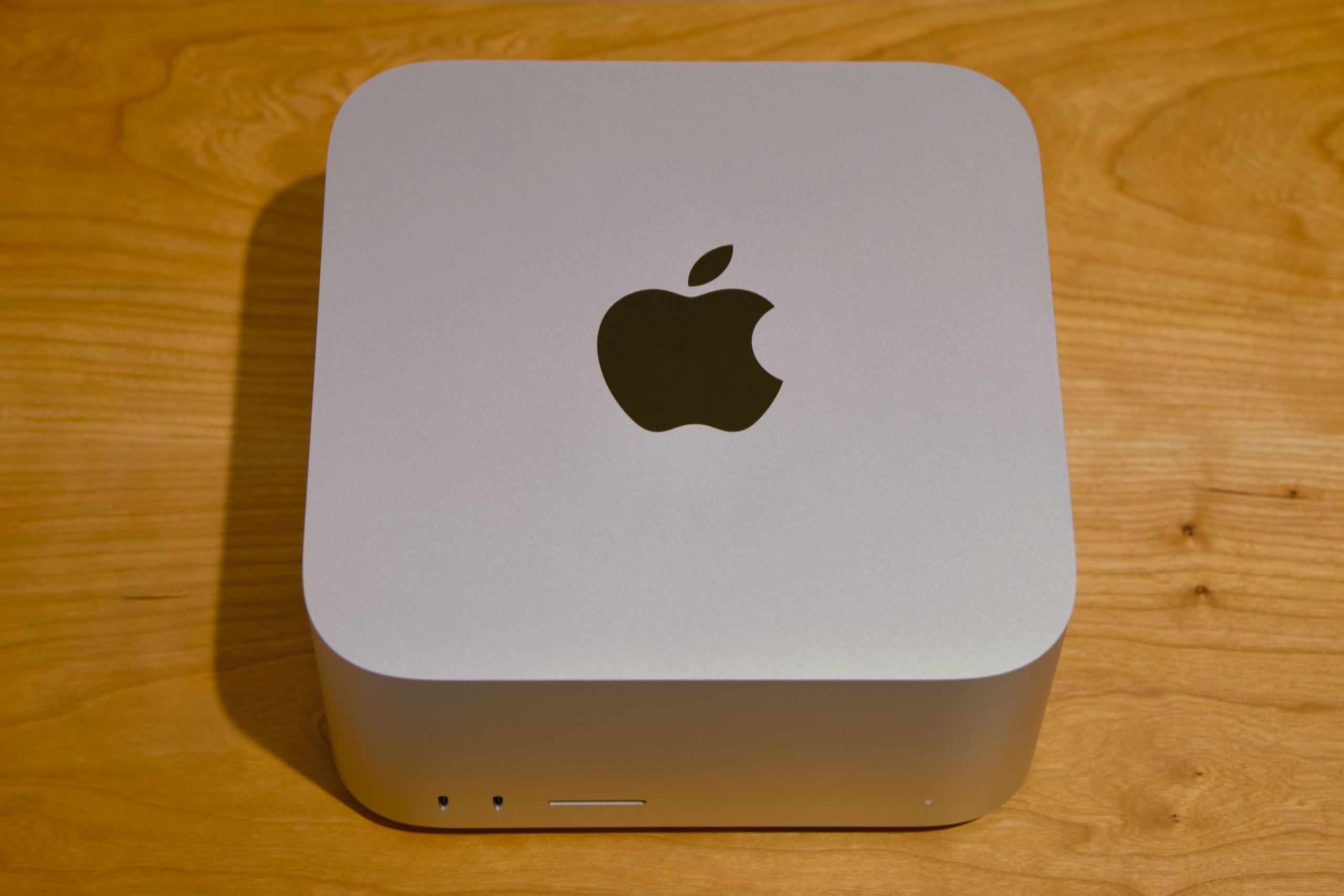
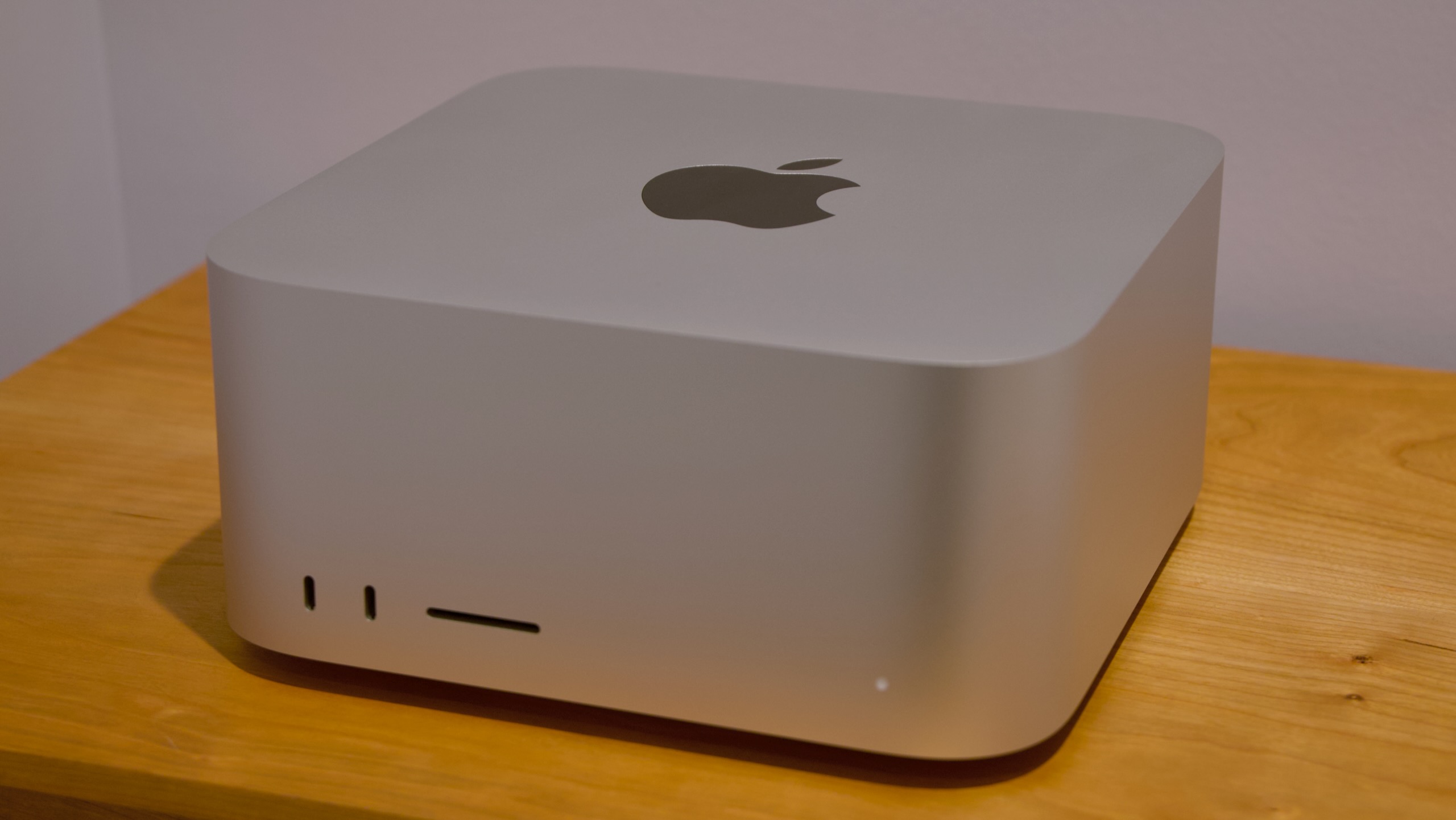
The new Mac Studio looks the same as it did when it launched with the M1 Max and M1 Ultra back in 2022. It’s a small, squat box, with the same 7.7-by-7.7-inch footprint as the old Mac mini, but it’s taller. Both the Max and Ultra variants of the Studio look the same, but the M5 Ultra version weighs two pounds more because it has heavier but more-conductive copper in its heatsink to help cool the more powerful chip.
Both Studio models also come with nearly all the same ports. On the back, you’ll find four 120Gbps Thunderbolt 5 ports, a 10Gbps Ethernet port, an HDMI 2.1 port, and a pair of 5Gbps USB-A ports. On the front, both Studios have a UHS-II SD card reader, but the Max comes with two 10Gbps USB-C ports, and the Ultra comes with two more 120Gbps Thunderbolt 5 ports.
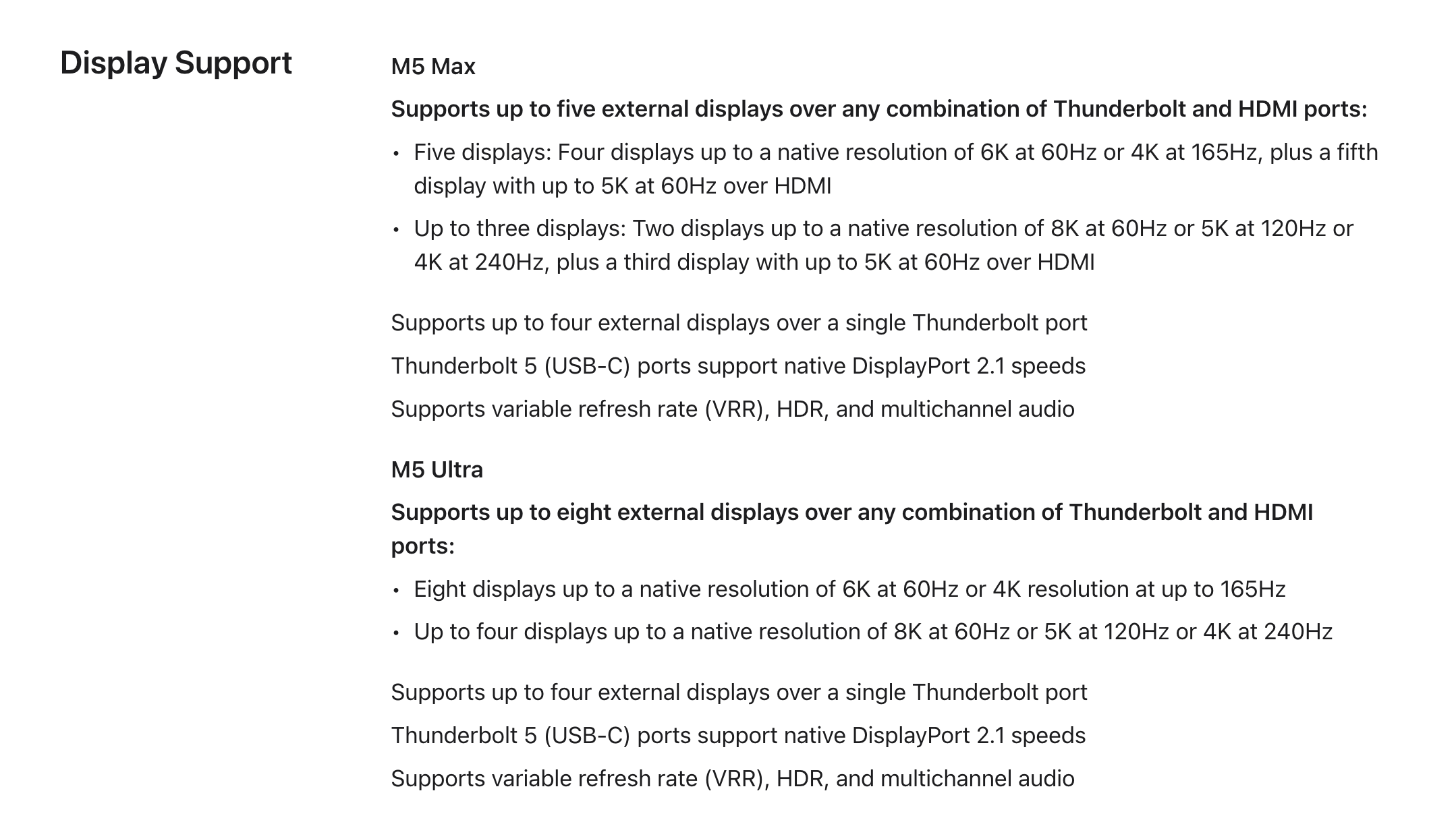
The Ultra’s additional oomph extends to external display support. The M5 Max supports up to five external displays, and the M5 Ultra supports up to eight, though both come with caveats depending on the resolution and refresh rates you’re using.
Display support details for the M5 Max and M5 Ultra Mac Studios.
Credit: Apple
Display support details for the M5 Max and M5 Ultra Mac Studios. Credit: Apple
The M5 Max is a known quantity at this point, and Apple has been shipping it since March in the MacBook Pro. It improved over the last-generation M4 Max by introducing new “super” cores for the CPU and nudging the maximum memory bandwidth up from 546GB/s to 614GB/s. The number of GPU cores stayed the same (40), but new neural accelerators built into each GPU core helped improve its performance for ML/AI-assisted technologies like MetalFX upscaling and frame generation.
The M5 Ultra is a bigger departure for a few reasons. The first is that there was no M4 Ultra, so we’re effectively hopping two processor generations despite only jumping a single product generation.
CPU S/P/E-cores
GPU cores
RAM options
Memory bandwidth
Apple M5 Ultra (low)
10S/20P
64
96GB/256GB
1,228.8GB/s
Apple M5 Ultra (high)
12S/24P
80
96/256GB/512GB (planned)
1,228.8GB/s
Apple M3 Ultra (high)
24P/8E
80
128GB/256GB/512GB
819.2GB/s
Apple M2 Ultra (high)
16P/8E
76
Up to 192GB
819.2GB/s
Apple M1 Ultra (high)
16P/4E
32
Up to 128GB
819.2GB/s
The second is that the way the chip is built has actually changed quite a bit. The M1 Ultra, M2 Ultra, and M3 Ultra were all essentially a pair of Max chips strapped together using a high-speed interconnect to get most of the benefits of making one huge chip without all of the manufacturing difficulties of making one huge chip.
The M5 Ultra is still basically a pair of M5 Max chips stitched together; that much is the same. The chip includes up to 12 super CPU cores, up to 24 P-cores, up to 80 GPU cores, 32 Neural Engine cores, two video decoding engines and four encoding engines, and a little over 1.2TB/s (yes, that’s TB with a T) of memory bandwidth. That’s a neat doubling of all the M5 Max’s major specs.
What’s different is that this generation’s M5 Pro and M5 Max are both already a pair of chiplets attached together via silicon interconnect, which means the M5 Ultra is actually four distinct bits of silicon packaged together. The potential downside for this arrangement is that die-to-die interconnects often can’t communicate quite as fast as components all housed on the same silicon. Overall, the Fusion Architecture hasn’t kept previous Ultra chips from being fast, and it doesn’t keep the M5 Ultra from being fast, either. But performance on the Ultra chips has never scaled perfectly linearly with the number of cores, and the M5 Ultra is the same way.
Also: New prices 🙁
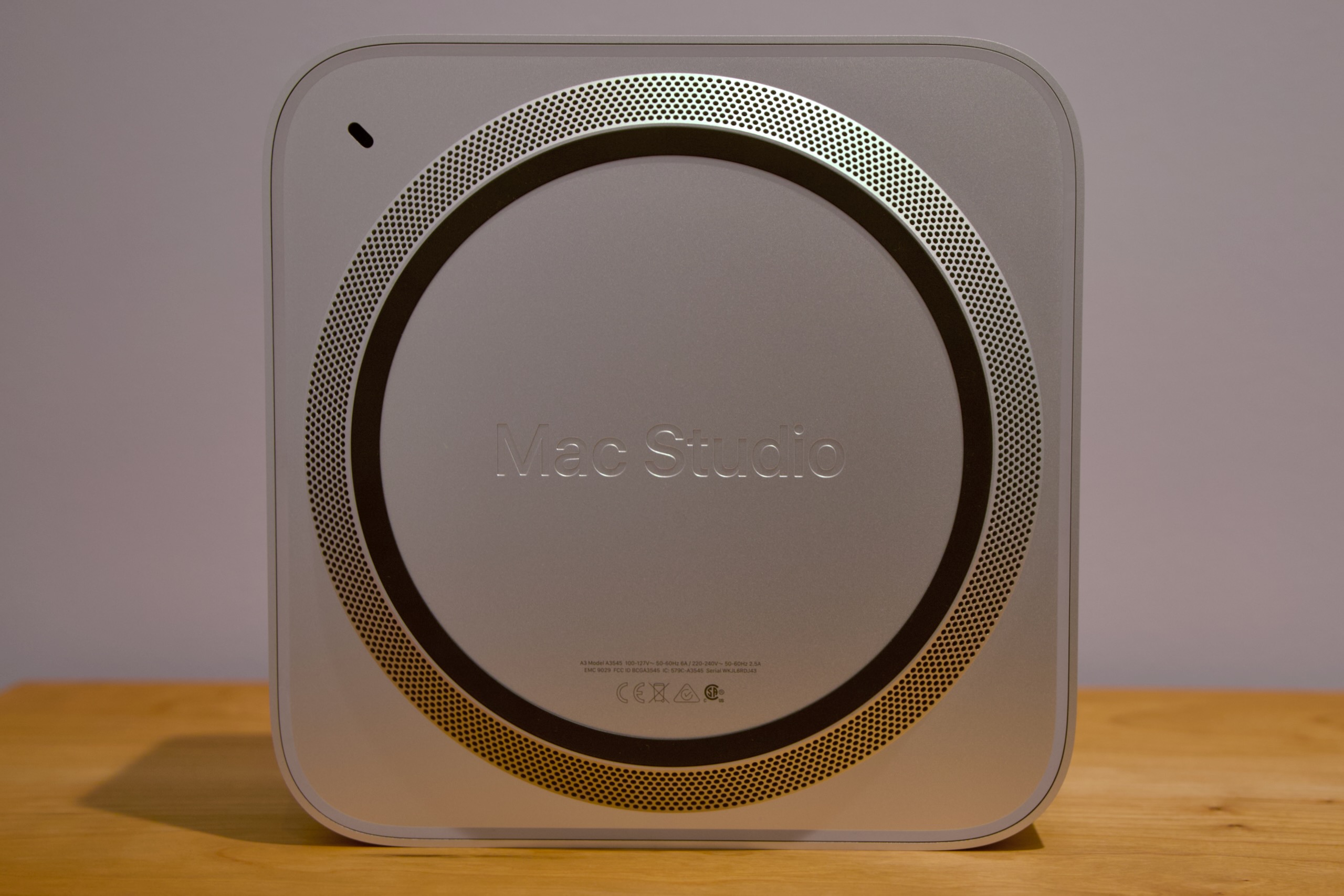
If you forget what the computer is called, look at the bottom.
Credit: Andrew Cunningham
If you forget what the computer is called, look at the bottom. Credit: Andrew Cunningham
Normally we could just cover the hardware improvements in a new Mac while assuming that all else was equal on the pricing front—that the new hardware would automatically be a better deal than the old hardware because it was being sold for the same price. But Apple has raised prices across the board this year because of the ongoing AI-fueled memory crunch. As its highest-end computer with its highest-end memory and storage configurations, the Mac Studio is getting hit even harder than other Macs.
At its introduction, the basic M4 Max Mac Studio ran $1,999, which got you a slightly cut-down version of the chip, 36GB of RAM, and 512GB of storage. The M5 Max Studio starts at $2,499, a $500 increase. An M3 Ultra Mac Studio with a cut-down chip, 96GB of RAM, and 1TB of storage started at $3,999; the same M5 Ultra config will run you a whopping $5,499, a $1,500 increase. And that’s for the base models. Going for a fully enabled M5 Max, 64GB of RAM, and 1TB of storage—what I’d call the price/performance sweet spot for dabbling with local AI—will run you $3,799, $900 more than the M4 Max Studio would have cost when it launched.
As for the Ultra? A 256GB RAM/1TB storage model that would have cost $5,599 18 months ago now costs $9,499—not quite twice the price but close enough to feel like it. There will be a 512GB version of the M5 Ultra Studio, but Apple hasn’t said what it will cost. The M3 Ultra version started at $9,499, so I feel pretty confident in saying that the M5 Ultra version will be a $20,000-and-up computer. To be interested in high-end local AI, you already have to be willing to pay more up front for hardware than you would to just use some company’s Nvidia-powered data center. At these prices, buying a cluster of Mac Studios feels like paying to build a data center out of your own pocket.
Bear that in mind as we talk about performance.
General computing performance
The M5 Ultra is, by almost every measure, the fastest Apple Silicon processor built so far. The only place it loses is in single-core CPU performance, where the Mac mini’s humble M6 very narrowly beats it. But the gap is small—smaller than the gap between the M3 and M4 generations, for example—which helps keep it from feeling like as big a deal as it did when the last-generation Studio launched with the M4 Max and M3 Ultra.
In many of our general-purpose CPU and GPU tests, the Ultra’s CPU outruns the M5 Max by 80 or 90 percent, and the GPU is between 50 and 80 percent faster. That’s essentially in keeping with what we’ve observed in past Ultra chips—the CPU comes closer to 2x scaling than the GPU does. Compared to the outgoing M3 Ultra, M5 Ultra usually posts around 30 percent faster single-core CPU speeds, 50 percent faster multi-core CPU speeds, and GPU performance that’s anywhere from 33 to 66 percent faster, depending on the test. As you’d expect for a two-generation upgrade, it’s a big one.
But we also observed some less-expected behavior. The Ultra’s Geekbench multicore performance is only around 26 percent faster than the Max, and in our CPU-based Handbrake video encoding test, the Max is actually faster to complete the H.264 encode (and barely slower at H.265).
Looking at the power consumption numbers offers a possible explanation. According to the powermetrics tool, both the M5 Max and M5 Ultra consume about 75 W of power on average during the video transcoding test. That’s also about the amount of power that the M3 Ultra Mac Studio used. But the Max Mac Studios have historically used less power than the Ultra chips. To me, this suggests that the M5 Ultra is being power-limited to keep it within the power/cooling envelope of the existing Studio design.
But it could just as easily be a bug. When checking Activity Monitor during the video encoding job, you don’t see every single CPU core being 100 percent utilized, which is the typical behavior for this test. And powermetrics reports that all of the Ultra’s CPU cores are running at the same sustained clock speeds as the M5 Max’s for the duration of the encoding test. If there were power- or temperature-related throttling going on, you’d expect those clock speeds to be lower. I’ve reported my findings to Apple and will report back if I get a response.
Why AI people like Macs
I have learned virtually every firsthand thing I know about vibe coding in the last week, so bear with me if I get any of this wrong. Many AI model providers, including Apple, have also released models that can work their way around some of these Hard Facts. But broadly, this should be an accurate local-AI crash course.
When you’re talking about running AI models locally, there are two hardware numbers that loom the largest. The first is the amount of GPU memory you have. The second is the amount of memory bandwidth you have, or how quickly that GPU can communicate with the rest of the system.
Your graphics RAM decides both the size of the models you can run—these need to be loaded pretty much entirely into GPU memory because anything after this will either spill over into your main system memory (slow) or, in a worst-case scenario, to your disk (even slower).
On top of this, particularly for coding, you need additional memory for “context,” or the amount of information an individual agent can recall before running out of memory. For a basic question-and-answer chatbot interaction, you don’t need a ton of context. For coding a full app, you’ll want to have a bunch of RAM available for context so the agent doesn’t get halfway through a complex task and “forget” what it was doing.
There are handoff mechanisms—one agent can condense a session to a single file that contains most of the relevant information from a session and pass it to another, effectively resetting the context. But things inevitably fall through the cracks with this mechanism, especially if there’s not all that much context to condense in the first place.
The memory bandwidth isn’t the only thing that determines how quickly the model will be able to spit out new words (“tokens”), but it’s probably the single most important thing. Even the speed and capabilities of the GPU that the RAM is attached to don’t matter that much, compared to the amount of memory you have and how quickly the computer can move data into and out of it.
Apple Silicon Macs have become popular for running these models because they’ve hit a sweet spot. They don’t provide as much memory bandwidth as a dedicated desktop GPU (a 5-year-old Nvidia GeForce RTX 3060 12GB offers 360GB/s of bandwidth, almost 20 percent more than the M5 Pro; an RTX 5070 12GB offers 672GB/s, more than M5 Max). But a 64GB Apple Silicon Mac offers more GPU memory than any single consumer GPU you can buy, its memory bandwidth is fast enough, and it’s dramatically more power-efficient than an RTX 5090 or a pair of RTX 3090s. And 96GB, 128GB, 256GB, and 512GB Apple Silicon Macs open the door to even larger, frontier-class models.
Obviously, those top-tier systems aren’t cheap right now, but this hopefully explains part of the reason it’s suddenly difficult to buy a Mac mini, of all things. And partly because the hardware is so well-suited to these workloads, Apple’s MLX framework has become reasonably well-optimized and supported by different language models and local AI-focused apps like LM Studio Bionic.
On top of these stats, you also have something called “time to first token” (TTFT)—the amount of time that passes between you handing a prompt to a model and the model processing it and responding. This is one place where the M5 generation improves on M4 and older: The neural accelerators Apple added to the GPU dramatically speed up the TTFT, making any locally run model feel more responsive.
Add this to the fact that the M5 Ultra dramatically boosts memory bandwidth compared to the M3 Ultra, and you get an idea of why this particular Mac Studio is well-suited to this kind of work. The fact that it’s a two-generation jump over last year’s M3 Ultra makes it look even better than the M5 Max Studio or the M5 Pro Mac mini.
I am become vibe coder
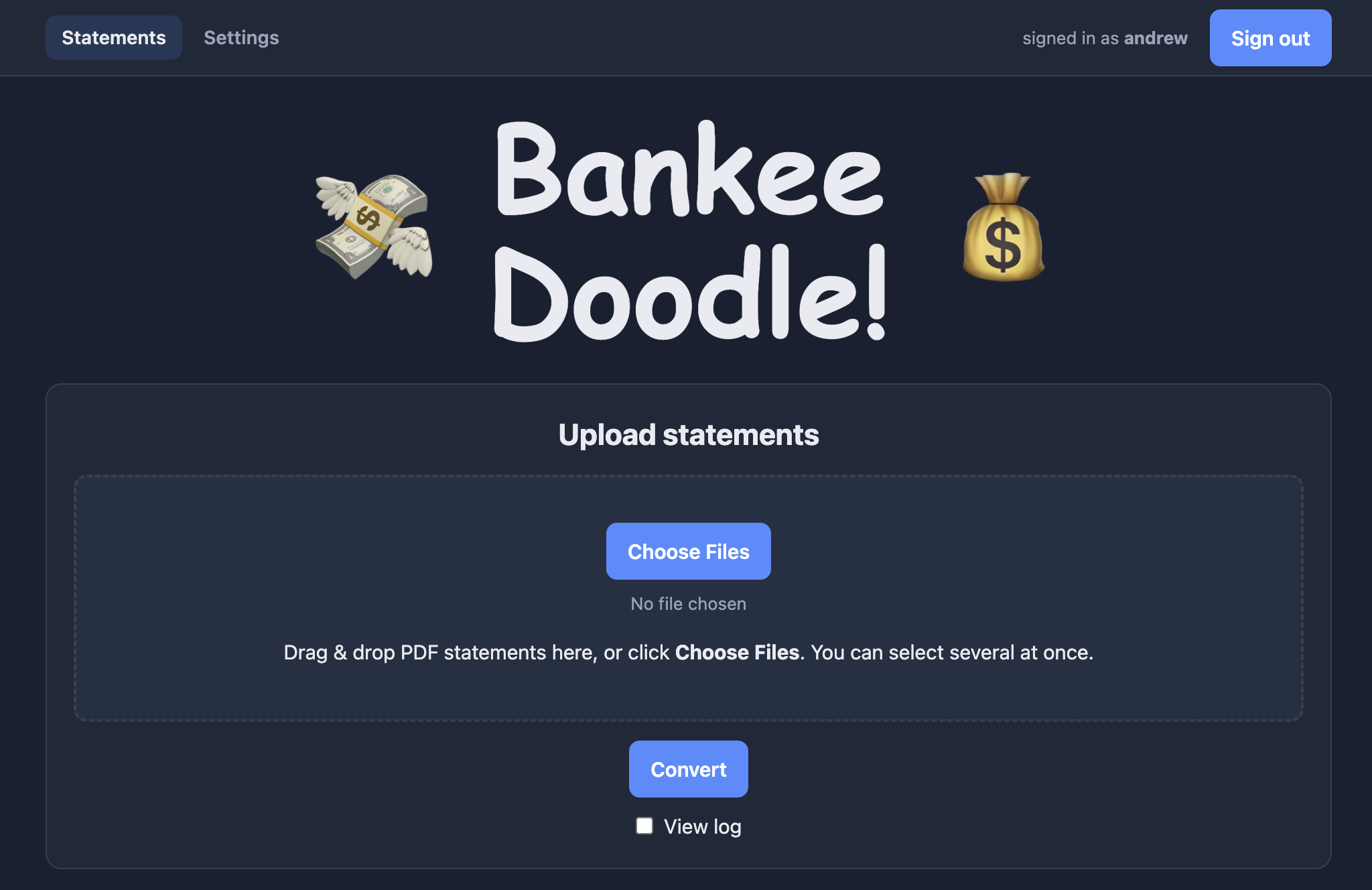
This is Bankee Doodle, the impeccably designed front-end for my vibe-coded small-business bank-statement-PDF-to-spreadsheet converter.
Credit: Andrew Cunningham
This is Bankee Doodle, the impeccably designed front-end for my vibe-coded small-business bank-statement-PDF-to-spreadsheet converter. Credit: Andrew Cunningham
Looking beyond the standard suite of benchmarks, I have been trying some local vibe coding on the Studio, the first time I’ve tried it. On the recommendation of a few people who are a bit further down this road, I downloaded LM Studio Bionic and the Qwen 3.8 27B model.
When it comes to coding and development, I barely know enough basic HTML and CSS to tweak an existing template, but my desire to learn more has always exceeded my ability. Blame the ADHD, blame the lack of free time, blame whatever it is in my brain that started bouncing off the one coding class I tried to take just a couple of lessons after “Hello world!”
I could just never make it stick.
Using this M5 Ultra Mac Studio and LM Studio Bionic to run an all-local coding-capable language model is the most fun I’ve had with any piece of new technology in a long time. And I say this as someone who generally loathes generative AI.
But there is a reason why vibe coding has taken off in the last year or two. If you know enough to tell the system what you want, you can make some genuinely useful things that actually function.
I’ve been part of a book podcast for almost a decade and a half, and I handle our accounting—a side gig to my side gig. For years, this has involved the hand-entry of figures from bank statements into a spreadsheet I built to track our income, expenses, and estimated tax burden. It was too light a job to be worth paying for QuickBooks for the rest of eternity—the software does too much we don’t need. It’s one of those probably solvable problems that’s consistently irritating when you’re thinking about it, but you run into it just infrequently enough to never get around to fixing it.
And now it’s fixed!
First, I had the Qwen model write a Python script to convert bank statement PDFs into spreadsheets and format and sort them the way I wanted. I then built a web app around it so I could easily upload future sheets instead of messing with the LLM or the Python script.
I’m pretty conflicted about this, but there is an undeniable appeal to building a little piece of software to solve some intractable, specific-to-you problem in the space of a couple of afternoons. And in this case, you can do it on hardware in your own home, which your data never leaves, and it consumes less power than a single PC graphics card.
I probably could have solved this problem in an afternoon with a few dollars’ worth of tokens, but sending years of financial data to Anthropic or whoever is something I just couldn’t countenance. This way, I didn’t have to.
The Qwen 3.8 27B model is “open-weight” and has been released under an Apache 2.0 license, so there aren’t limits on its use. And it offers different “quantizations” (basically, trading a little precision for a smaller size) that help it span Macs with different amounts of RAM. I’d say 32GB is the smallest amount of RAM you could use to run the reasonably competent 4K quantization with enough context for very small projects or narrow fixes for existing projects, but 64GB is a better target for a system with a large window for context and enough memory to actually use the Mac as a regular computer at the same time.
Using the 4K quantization’s default settings in LM Studio Bionic running on macOS 27.0, my daily-driver M2 Mac Studio managed a token rate of roughly 18 to 20 per second on a sample prompt about spinning up a new website project. A Framework Desktop (which is based on the Strix Point Ryzen AI Max+ platform and is fairly popular among local AI enthusiasts because of its large pool of reasonably fast unified memory) managed roughly the same 18-to-20 tokens-per-second rate on the same prompt, using Ubuntu 26.06 and AMD’s ROCm backend.
This token-per-second rate is by no means terrible, and it means the system can generate text at just about the same rate that I can read it. But for a longer coding project (especially if you leave “reasoning” on, letting the bot spit out a bunch of sequences of words before it settles on a course of action) it means a whole lot of waiting, and that tokens-per-second rate does begin to slow even more as you get deeper into a long context window.
The M5 Max Mac Studio had a tokens-per-second rate of around 31 on the same prompt. The M5 Ultra manages just over 50. (This is, incidentally, why a Mac mini with an M5 Pro is less usable for this kind of work, even with 64GB of RAM—it has half the memory bandwidth of the M5 Max, and memory bandwidth is generally the spec that these workloads are the most sensitive to.)
Both of the Mac Studio chips are genuinely usable for this kind of work, as long as your ambitions are modest and you have a mind for methodical troubleshooting and debugging. The agent will virtually always get something wrong the first time, and a lot of the time and effort I’ve expended while vibe coding has been in service of knocking features into shape, one fix at a time.
The workloads, they are a-changing
The M5 Ultra Mac Studio.
Credit: Andrew Cunningham
The M5 Ultra Mac Studio. Credit: Andrew Cunningham
The Ultra version of the Mac Studio remains a niche product for a small audience: People with thousands of dollars to spend and who want to work with AI models, who are OK with good-but-not-cutting-edge speeds, and who don’t want to pay OpenAI or Anthropic or whoever for all the tokens they might burn with playful experiments or by absorbing and editing a large codebase.
But that audience does exist. Almost against my will, I find myself in it. It’s genuinely fun and freeing to be able to write hobby-project code at usable speeds without my data ever leaving my control. It’s just too bad I’ve made this discovery as Apple has instituted 25-percent-and-up price increases across the entire Mac Studio line.
Considered against the wider Mac and PC market, where prices are awful everywhere you look, the Mac Studio can still be a reasonably good deal. The M5 Max version is a great machine for the Studio’s core audience of photographers, video editors, streamers, and developers, and if you’re primarily using cloud AI models, sticking to 36GB or 48GB of RAM won’t feel like a hardship (you could and possibly should just go with an M5 Pro Mac mini instead, though).
Even entry-level local coding agents don’t require a top-end config; the 64GB, 96GB, and 128GB configurations each cost between $3,500 and $5,500, which is still a lot, but nowhere close to five figures—and still conceivably justifiable if you’re buying a machine you intend to use as your primary workstation for a few years.
But the high-end versions of these machines are priced well outside the range of what most people want to spend on a desktop computer. As reviewed, this M5 Ultra Mac Studio costs $12,299. I have an M2 Max Mac Studio, an M3 MacBook Air, a Windows gaming tower, a PC under my TV, and a MacBook Neo. Granted, I bought these all in the Before Times, when memory prices were sane. But I don’t need to do the math to know that this computer costs more than all of those computers combined.
The good
The Mac Studio retains its best selling points: It’s small, fast, quiet, and power efficient
M5 generation is a solid upgrade over M4 Max and M3 Ultra
Nearly ideal machines for usably fast, power-efficient local ML and AI workloads, including competent coding models
The bad
Price hikes start at 25 percent generation-over-generation and go up from there
M5 Ultra has 2x the computing resources of M5 Max but usually can’t get you 2x the speeds
The ugly
The prospect of a $20,000 consumer desktop computer
Andrew is a Senior Technology Reporter at Ars Technica, with a focus on consumer tech including computer hardware and in-depth reviews of operating systems like Windows and macOS. Andrew lives in Philadelphia and co-hosts a weekly book podcast called Overdue.
Disney+ got its fourth price hike in four years today. Hulu prices also went up.
Disney+ and Hulu’s respective standalone, ad-free plans (which also support 4K and HDR) are each increasing 13 percent from $19 per month to $21.50/month.
Disney+ and Hulu’s respective standalone plans with ads increased from $12 to $12.50.
The Walt Disney Company also increased prices for bundles of the streaming services, including those with ESPN.
The price for the Disney+ and Hulu bundle without ads increased from $20/month to $22/month. The Disney+ and Hulu bundle with ads ($13) didn’t get more expensive.
However, prices increased for the Disney+, Hulu, and ESPN Select bundles with ads (from $20 to $22) and without ads (from $29 to $33).
Monthly subscription prices for Hulu + Live, which adds cable channels delivered over the Internet to Hulu’s on-demand options, went up by $10.
For comparison, Netflix is currently $9/month with ads and starts at $20/month without ads. There’s also a $27/month ad-free plan for premium features, like 4K. That means Disney+ and Hulu are both more expensive than the most popular streaming service now, unless you want 4K or HDR.