Tag: Google

  • Google seemingly confirms plans to kill ChromeOS in 2034

    Google seemingly confirms plans to kill ChromeOS in 2034

    by: Ryan Whitwam | Ars Technica

    Rather than get into a Windows XP situation in which it had to keep extending update support, the support page says that Google intends to upgrade newer Chromebooks to the Googlebook OS. It doesn’t have specifics on the timeline or which models will be included, but the company does note that, in many cases, this will be a “direct migration.”
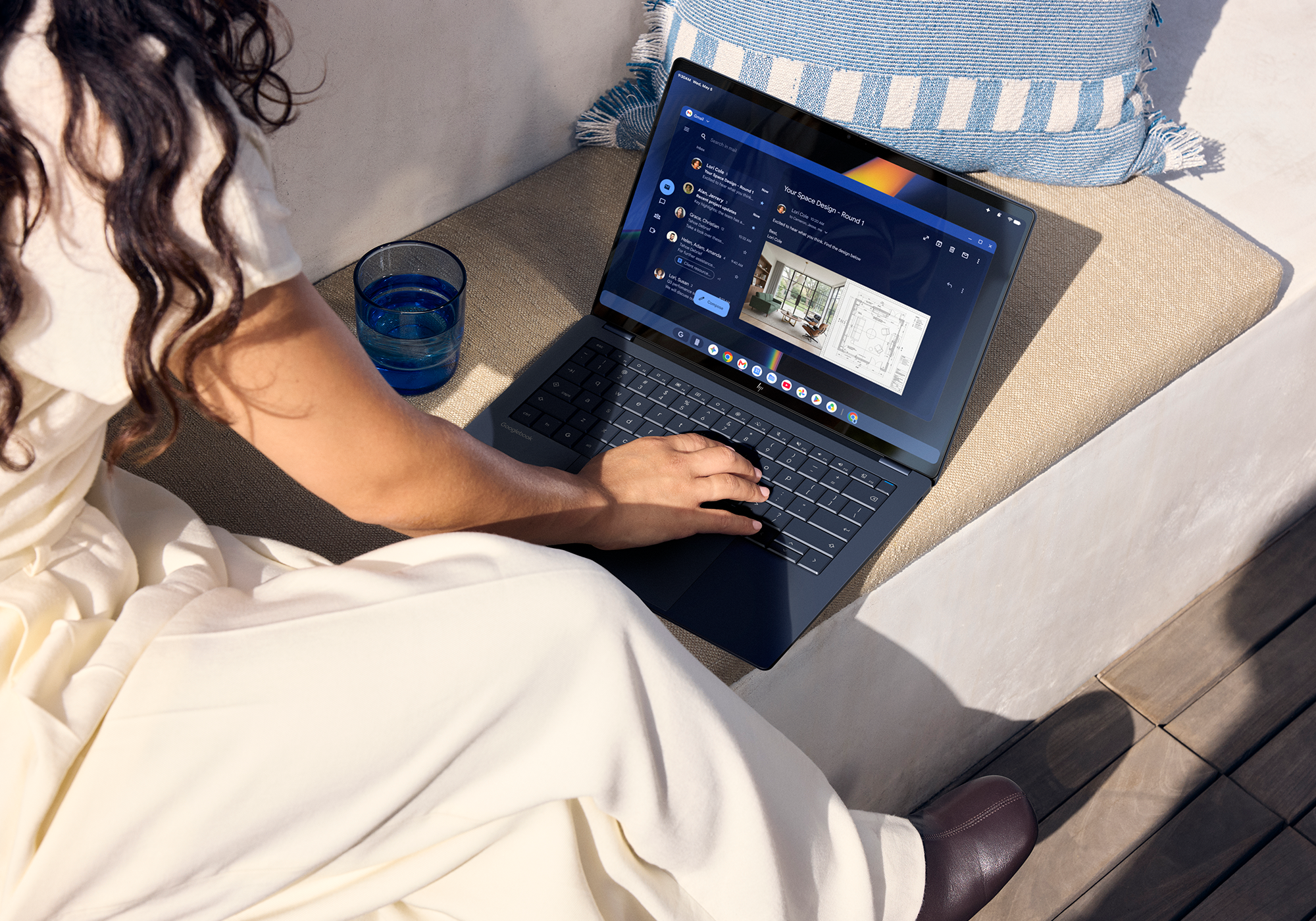
    Googlebooks are launching at much higher prices than Chromebooks.

    Credit: HP

    Googlebooks are launching at much higher prices than Chromebooks. Credit: HP

    It’s understandable that Google doesn’t want to make this more clear—Chromebooks may not have caught on for consumers, but they’re big in schools and business. Googlebooks won’t have comparable management tools for a year or more, according to the support page. If Google is more open about ditching ChromeOS, its Chromebook business could take a dive before Googlebooks are even theoretically in a position to take over.

    In its public statements, Google representatives have only said that Chromebooks will continue to exist. However, this guidance certainly makes it sounds like the platform’s days are numbered. That may present issues for organizations like schools that became accustomed to getting capable, easily managed PCs for dirt cheap. As Google has explained on numerous occasions, Googlebooks are intended to be a premium product.

    Maybe Google’s partners will explore budget-friendly Googlebooks eventually, but the initial lineup starts at $899. It’s impossible to spend that kind of money on a Chromebook today.

  • F-Droid gets its biggest update in a decade with new UI and smoother app installs

    F-Droid gets its biggest update in a decade with new UI and smoother app installs

    by: Ryan Whitwam | Ars Technica

    Virtually every Android device comes with the Play Store preloaded, but there are other ways to get apps. F-Droid bills itself as a community-driven source for free and open source Android apps, but its official app store has gone 10 years without a major update. That’s finally changing: After a multiyear effort, the team has just announced F-Droid 2.0 is rolling out.

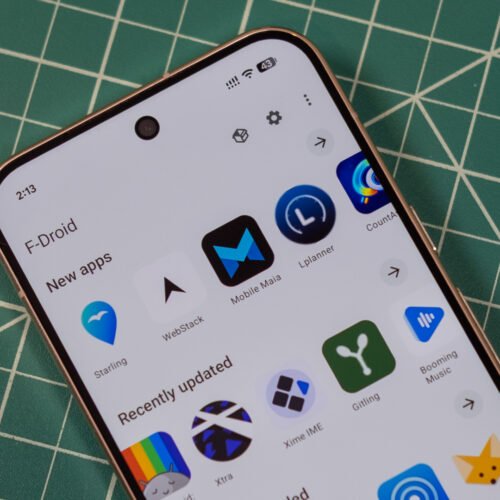
    The new F-Droid client was redesigned from scratch in Kotlin Compose, which is the standard for modern Android apps. This makes the store much more responsive, and there’s optional support for Android’s Material theming. The interface has also been cleaned up considerably, making the most important functions easier to access and hiding some others in overflow menus.

    While the new F-Droid looks nicer, the update was largely about making it easier to find and install apps. When F-Droid first appeared, there wasn’t much to see, but now it has thousands of open source apps. Unlike the Play Store, F-Droid doesn’t track your taps and installs to push ads and suggestions—it helps you find things and gets out of the way.

    F-Droid now includes a huge number of categories, drilling down to specialized niches like firewalls, password managers, and VPNs. You can see all these groups in the search tab. There are also higher-level categories listed on the main Discover page. When searching for apps, F-Droid will now be able to return results based on app descriptions rather than just names.

    When you find an app, F-Droid 2.0 will make the installation process easier. Google has long put up roadblocks for sideloaded apps, citing the security implications. This is also the rationale behind its upcoming developer verification system. For now at least, apps will be easier to install from F-Droid thanks to the use of Google’s pre-approval API. Instead of downloading an APK, opening it, and confirming the scary sideloading pop-up, you’ll just be able to verify that you want to install an app before the download. So you tap “Install” in F-Droid, and then tap “Install” again in a system pop-up. That’s one more click than the Play Store, but it’s still an improvement.

  • YouTube promises custom feeds and a lot more AI later this year

    YouTube promises custom feeds and a lot more AI later this year

    by: Ryan Whitwam | Ars Technica

    The annual Made on YouTube event has just wrapped up, offering an early look at the features you can expect to come to Google’s dominant online streaming platform in the coming months. Yes, there’s plenty of AI for both viewers and creators, but there’s also a handful of non-AI updates mixed in there, too.

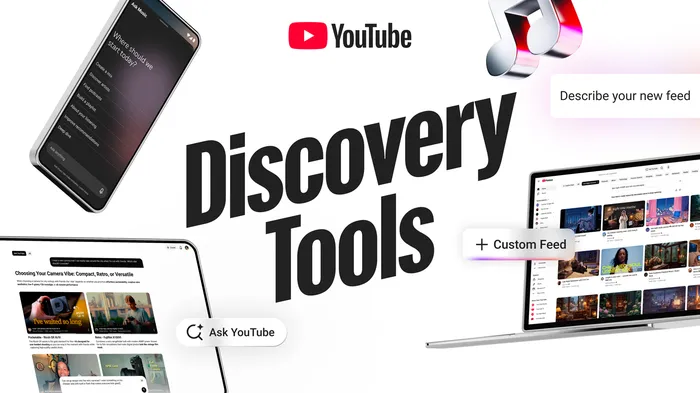
    The design of YouTube’s homepage feed comes under fire often, but the platform is preparing to give you more options. With Custom Feeds, you’ll be able to add new tabs to the YouTube interface with content of your choice. To create a feed, just type a description and let YouTube populate the page. You can refine your description and rate video suggestions to tune the Custom Feed. Google says you’ll be able to save “multiple” feeds without specifying the exact number. This feature will roll out soon in the US for web, mobile, and TV users.

    Interacting on YouTube will also change later this year. The platform will finally add the option to post GIFs in comments, which has apparently been a common request for some time. The comment box will let you search for popular animated thumbnails and post them on both regular videos and YouTube Shorts. The YouTube direct messaging feature is also adding support for group chat, but it’s only going to be available in the US, UK, Singapore, Brazil, and some European countries to start.

    Credit: Google

    Credit: Google

    YouTube is probably going to nudge you to chat with a robot more often, too. The AI-powered Ask YouTube feature is not new, but it’s getting several new features that will make it more prominent across the platform. The AI will take on a conversational role in product review videos, allowing you to type or use voice commands to get more information about a product. In search, Ask YouTube may offer organized video recommendations and product comparison tables, too.

    The music version of this AI is also expanding. Ask Music is getting more prominent placement in the YouTube Music app, right at the top where search used to be (it recently moved to a tab at the bottom). Ask Music can create or edit playlists and tell you about an artist. It will also surface suggestions throughout the app, like when you’re creating a mix.